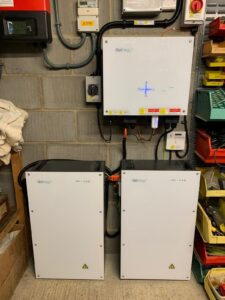
TL;DR: Many modern home battery systems let you schedule charging to benefit from cheaper off-peak electricity. Charging at night / off-peak and discharging during the expensive peak periods, often pays back over time even when you factor in efficiency losses and battery wear.
How off-peak charging actually saves you money
- Buy cheap, sell/use high: Utilities with time-of-use (TOU) or dynamic tariffs charge less at night or in low-demand windows. Charge your battery, then discharge during expensive peak hours, this means you pay less for the energy you store compared to the value of that energy when you use it. (Think: buy at 10p, use at 30p.) (Ofgem)
- Flatten and avoid peak import: Reducing grid imports at peak hours lowers your bill if your tariff has peak pricing or demand charges.
- Pair with dynamic tariffs for more upside: Tariffs like Octopus Agile (half-hourly wholesale-linked pricing) create larger price spreads, more opportunities to charge when negative/cheap and supply when prices spike. (Octopus Energy)
- Better ROI when you don’t have much daytime solar: Even without PV, a battery + TOU plan can shift consumption to off-peak electricity and cut bills. (Cromwell Solar)
Quick worked example (realistic numbers)
Assumptions:
- Off-peak price = £0.10 / kWh
- Peak price = £0.30 / kWh
- Battery round-trip efficiency = 90% (i.e., 10% is lost)
- We charge 10 kWh overnight.
Step-by-step:
- Cost to charge 10 kWh at £0.10 = £1.00.
- Usable energy after losses = 10 kWh × 0.90 = 9.0 kWh.
- Value when discharged at peak: 9.0 kWh × £0.30 = £2.70.
- Net saving that cycle = £2.70 − £1.00 = £1.70.
So one full night charge / day discharge in this simplified example saves £1.70. Over a year (365 cycles) that’s £620.
EnergySage guide and time-of-use battery explainers. (EnergySage)
Which battery systems let you schedule charging (quick list)
- Tesla Powerwall — Time-Based Control (set the Powerwall to charge from the grid at cheaper times / discharge during expensive periods) (Tesla).
- GivEnergy — supports Timed Charge, ECO mode, and tariff/time-of-use-based charging via its app (GivEnergy).
- sonnen (sonnenBatterie) — has a Time-of-Use operating mode (TOU / schedulable behaviour) (media.sonnengroup.com).
- SolarEdge (Energy Hub / StorEdge) — monitoring platform supports adding charging schedules/profiles (Knowledge Center).
- Enphase — scheduling and profile features (used for EV charging and storage control in their ecosystem) (enphase.com).
- Others: Many newer systems (EcoFlow, Briggs & Stratton residential systems and others) advertise TOU/scheduled-charge modes — check the vendor docs for “Time of Use”, “Timed Charge”, or “Scheduling” options (EcoFlow).
For any other different brands, look for words like “Time-of-Use”, “Timed Charge”, “Schedule”, or “Time-Based Control” in the app/manual.
Important caveats & what reduces the saving
- Round-trip efficiency matters. Lower efficiency wipes out margins quickly (many systems range 85–95%.) (EnergySage).
- Battery cycle life / degradation. Batteries wear with cycles. The financial case should compare cumulative savings to the cost of battery replacements or capacity loss. High arbitrage frequency increases cycles — weigh that against savings (Manufacturer warranties & cycle ratings vary.) (EnergySage).
- Standing charges & export rules. In some markets higher fixed charges or low export rates reduce net benefits. Tariff fine-print matters (Ofgem).
- Smart tariff risk. Dynamic tariffs can have occasional price spikes — good control logic and safeguards (caps/price-protect features) are important (e.g., Octopus Agile has protections) (Octopus Energy).
- Local rules / meter type. You might need a smart meter or specific meter wiring (e.g., Economy 7) to fully use TOU features (British Gas).
Practical tips for homeowners
- Check if your battery app shows Time-of-Use / Timed Charge / Schedule — enable it and enter your off-peak window. (Tesla)
- Combine scheduled battery charging with a TOU tariff (Economy 7, Octopus Agile, or similar) for best results. (Ofgem)
- Set a safety floor (reserve % for backup) if you also need outage backup – don’t auto-drain the whole battery. (Many apps let you set backup reserve.) (Tesla)
- Monitor real data for 1–3 months and compare bills – that’s the easiest way to see actual savings.
Be wary of smart tariffs that take control of your system
As more suppliers introduce “smart” or “intelligent” tariffs, it’s important to understand how these differ from standard time-of-use (TOU) plans.
Some tariffs don’t just influence your battery charging, they can actually take full control of your system’s charge and discharge behaviour once you opt in.
How this works
Smart tariffs such as Octopus Intelligent Flux, Intelligent Octopus Go, and similar products from other providers use algorithms to optimise your battery and solar system for the wider grid.
When connected, they may remotely determine:
- When your battery charges or discharges,
- How much energy is stored or exported, and
- Which periods your system operates in “smart” or “controlled” mode.
This automation can deliver excellent savings, especially when prices are highly dynamic, but it also means you lose manual control of your battery schedule.
What this means for homeowners
If you currently enjoy setting your own timed charging windows through your app (for example in GivEnergy, Tesla, or Sonnen systems), you might find that this control is overridden once your account is linked to a smart tariff.
In practice, you may notice:
- Your battery charging at unexpected times,
- Reserved capacity for backup being reduced,
- The system exporting more energy to the grid than you planned.
For some users, that’s fine as the tariff handles optimisation automatically. But for others who prefer manual control or rely on stored energy for overnight or backup use, this can cause inconvenience.
Best practice before switching:
Before enrolling in a smart or “intelligent” tariff:
- Check compatibility with your battery brand and inverter – some systems allow partial control, others full handover
- Confirm whether manual schedules will still function once enrolled.
- Review the tariff’s terms for control permissions and how to opt out if you change your mind.
- Ask your installer or provider to explain how your setup will behave under that tariff.
In short:
Smart tariffs can be great for hands-off optimisation and additional savings, but if you prefer to set your own charge times or keep full system control, make sure you know what you’re signing up for before switching.
Example reference sources
- Octopus Intelligent Flux Tariff Overview
- GivEnergy Knowledge Base – Third-Party Tariff Integration
- Tesla Powerwall – Time-Based Control vs Utility Managed Control
- Ofgem – Smart Tariff and Demand Response Guidance
Tesla Powerwall — Time-Based Control docs (Tesla).
GivEnergy app & timed charge docs (GivEnergy).
sonnen operation manual (Time-of-Use mode) (media.sonnengroup.com).
SolarEdge battery scheduling app note (Knowledge Center).
Guides on TOU and battery savings (EnergySage / Cromwell Solar) (EnergySage).
Octopus Agile & dynamic pricing background (Octopus Energy).